
Forecasting a week of retail sales
Inventory and staffing plans need a view of demand before the next trading week. This example uses seven days of recorded retail activity to forecast daily sales for the following seven days, then compares the forecasts with simple historical baselines.
1. Business decision
The operational question is how much aggregate sales activity to expect over the next week. A useful comparison measures forecast errors in the same units and on the same dates as a simple reference forecast.
Seven-day history
Use the recorded calendar, sales, customer, opening and promotional fields from the previous week.
Seven-day forecast
Produce one sales estimate for each day of the following week.
Planning evidence
Compare errors with repeating the previous week; forecasting accuracy does not establish a promotion’s causal effect.
2. Data set
Seasonal patterns in the source series
The saved Neural Designer temporal means summarize all 942 daily records by calendar month, day of month and weekday. Each value is mean daily sales in the source units, not a monthly total. These descriptive averages cover the full source period; they are separate from the held-out forecast evaluation below.
Interactive chart: sales mean by month. Enable JavaScript to explore it.
Interactive chart: sales mean by day of month. Enable JavaScript to explore it.
Interactive chart: sales mean by day of week. Enable JavaScript to explore it.
Chronological evaluation
| Source segment | First date | Last date | Valid 14-day windows |
|---|---|---|---|
| Training | 01/01/2013 | 19/07/2014 | 552 |
| Validation | 20/07/2014 | 23/01/2015 | 175 |
| Testing | 24/01/2015 | 31/07/2015 | 176 |
The prepared Rossmann table contains 942 daily records from 1 January 2013 to 31 July 2015. It is an aggregate retail series: there is one row per date, no store identifier, and the open and customers fields contain daily counts. The model therefore forecasts the supplied aggregate sales series, rather than a specific individual store. Sales retain the source file units; the prepared CSV does not label a currency.
The downloadable project, saved report and supplied source CSV define the exact version used here. Repository: original dataset/source record.
| Subset | Records |
|---|---|
| Training | 552 |
| Validation / selection | 175 |
| Testing | 176 |
| Unused | 39 |
| Variable | Role | Type | Encoding | Unit |
|---|---|---|---|---|
| day | Input | Numeric | day of month | |
| month | Input | Numeric | month | |
| year | Input | Numeric | year | |
| day_of_week | Input | Numeric | 1=Monday; 7=Sunday | |
| open | Input | Numeric | daily count | |
| sales | InputTarget | Numeric | source sales units | |
| customers | Input | Numeric | daily count | |
| promo | Input | Binary | 0; 1 | 0 or 1 |
| state_holiday | Input | Binary | 0; 1 | 0 or 1 |
| school_holiday | Input | Binary | 0; 1 | 0 or 1 |
Interactive chart: sales distribution. Enable JavaScript to explore it.
3. Model
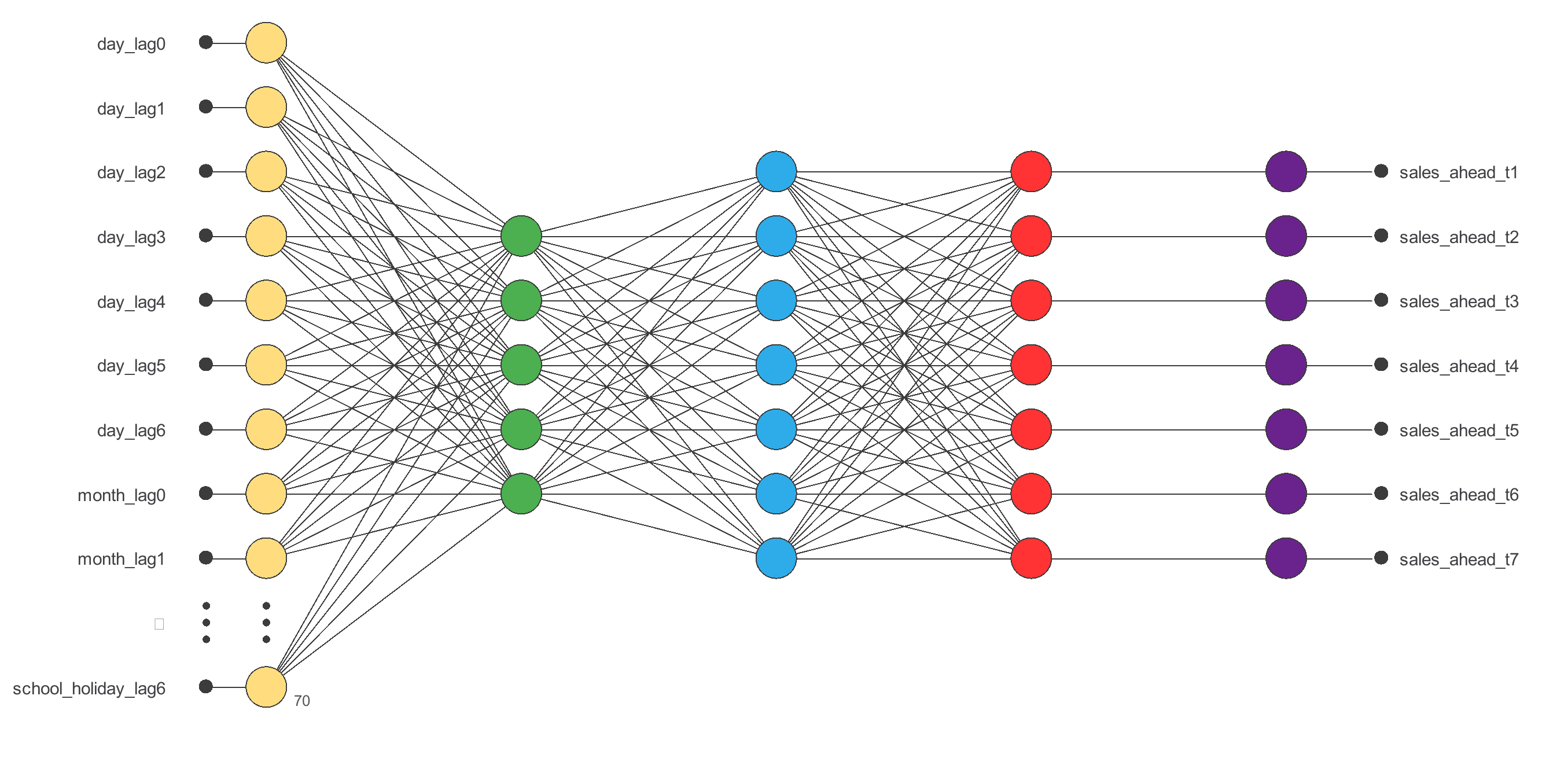
The final model uses 10 features per day across 7 days (70 values) and produces 7 daily sales outputs. The following dimensions describe the final saved network.
| Layer | Input shape | Output shape | Activation |
|---|---|---|---|
| Scaling | 7 10 | 7 10 | — |
| Recurrent | 7 10 | 9 | Tanh |
| Dense | 9 | 7 | Identity |
| Unscaling | 7 | 7 | — |
| Clamping | 7 | 7 | — |
The final output is a continuous estimate. Scaling, unscaling and any bounds follow the saved implementation; the calculator does not silently impose physical constraints.
4. Training strategy
Training uses normalized squared error, L2 regularization (weight 0.01) and the Quasi-Newton optimizer. Training minimizes the recorded objective; the validation subset monitors generalization during fitting. The testing subset is used for the evaluation below.
Interactive chart: Quasi-Newton method error history. Enable JavaScript to explore it.
Quasi-Newton method results
| Measure | Value |
|---|---|
| Epochs number | 150 |
| Elapsed time | 00:00:00 |
| Stopping criterion | Maximum validation error increases |
| Training error | 0.379 |
| Validation error | 0.477 |
5. Model selection
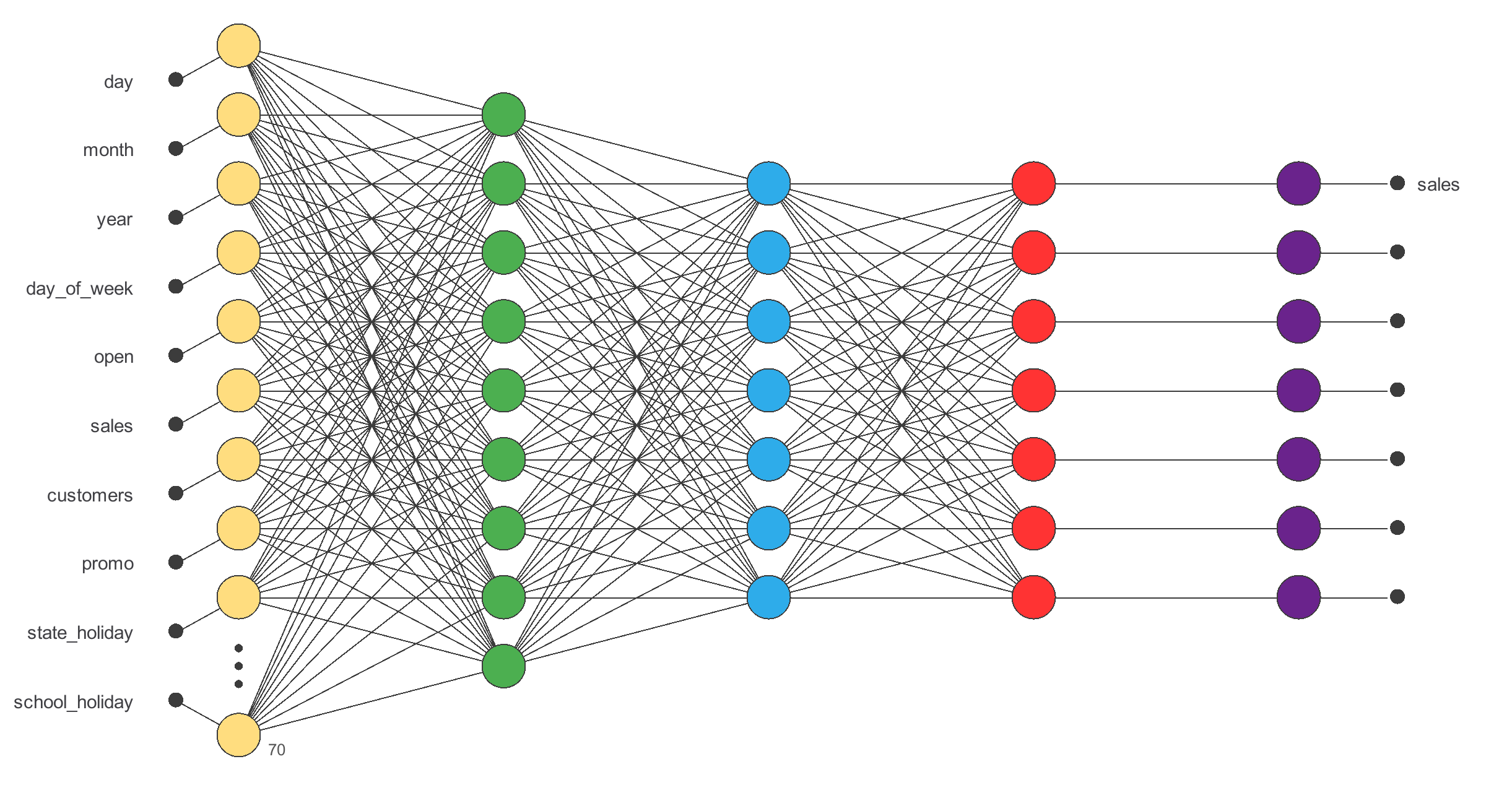
The initial model has 5 recurrent neurons. The saved growing-neurons search evaluates 1–10 neurons with three trials and retains 9 neurons using validation error.
The following search results are recorded in the saved report. Selection used the validation subset. These are the selected settings within the tested search; they do not establish a globally optimal model.
Interactive chart: Growing neurons training/selection errors plot. Enable JavaScript to explore it.
Growing neurons results
| Measure | Value |
|---|---|
| Optimal neurons number | 9 |
| Optimum training error | 0.2063 |
| Optimum selection error | 0.3232 |
| Epochs number | 10 |
| Stopping criterion | Maximum neurons reached |
| Elapsed time | 00:00:11 |
6. Testing analysis
The final model is evaluated at 176 testing forecast origins, each producing seven future daily values. MAE, RMSE and prediction R² below are computed from the exact testing pairs stored by Neural Designer. Errors retain each target’s original units.
| Horizon | MAE (millions) | RMSE (millions) | Prediction R² | Previous-week MAE (millions) |
|---|---|---|---|---|
| Day +1 | 0.723 | 1.274 | 0.781 | 1.894 |
| Day +2 | 0.739 | 1.289 | 0.780 | 1.886 |
| Day +3 | 0.743 | 1.314 | 0.769 | 1.902 |
| Day +4 | 0.757 | 1.296 | 0.774 | 1.909 |
| Day +5 | 0.722 | 1.312 | 0.768 | 1.918 |
| Day +6 | 0.738 | 1.310 | 0.769 | 1.927 |
| Day +7 | 0.796 | 1.369 | 0.749 | 1.944 |
The native goodness-of-fit task reports squared Pearson correlation (r²). Prediction R² here is 1 − squared prediction error / squared deviation from the test mean. They measure different properties: a strongly correlated prediction can still have a bias or an incorrect scale.
Historical baselines
The weekly baseline repeats the seven input sales values as the next week. Persistence repeats the latest observed sales value for all seven horizons. All three use the same test origins and target dates. The table reports averages over the seven horizons, in millions of the CSV sales units.
| Forecast | Mean MAE (millions) | Mean RMSE (millions) |
|---|---|---|
| Recurrent model | 0.745 | 1.309 |
| Repeat the previous week | 1.912 | 2.710 |
| Repeat the latest observed day | 2.915 | 3.886 |
The first and seventh horizons are shown below. The download includes native interactive charts for every intermediate horizon.
Interactive chart: sales (t+1) goodness-of-fit chart. Enable JavaScript to explore it.
Interactive chart: sales (t+7) goodness-of-fit chart. Enable JavaScript to explore it.
Interactive chart: sales (t+1) output plot. Enable JavaScript to explore it.
Interactive chart: sales (t+7) output plot. Enable JavaScript to explore it.
7. Model deployment
The JavaScript adapter keeps the generated arithmetic and exposes all seven computed outputs. The original HTML export exposed only the final horizon. The supplied inference.js is checked against every native test window; use it with the documented input order for batch forecasts.
Check seven days of inputs → apply the saved preprocessing and recurrent network → forecast the following seven days → review forecast errors and operating context. The ZIP contains the original project, source CSV, schema, test metrics and standalone interactive chart exports. The project hash in the schema identifies this exact version.
The model takes a 7 × 10 input window. For repeatable use, run the project in Neural Designer or call predict(inputs) from the downloadable inference.js. The input schema specifies the day-by-day order, from the oldest day to the latest; outputs are the next seven daily sales values.
8. Evidence and limitations
This is an internal historical benchmark. The chronological windows do not cross subset boundaries, but the native preprocessing statistics use the saved used-row set, including later periods. A prospective evaluation must fit preprocessing within training and roll the forecast origin forward. Overlapping test windows are dependent. Results do not establish transfer to a different store, future period or promotional policy.
No external validation or independent calibration study is included. Preprocessing statistics and model choices should be refitted within a prospective or grouped validation design. Correlations and directional responses describe associations, not causes. Human review is required before an operational decision.